bddemo: Your How-To Docs ARE Your Tests
Way back in 2015 I wrote about Behavior Testing and got excited about a simple idea: the right people write down what the software is supposed to do in plain English, and that English is also the test. Features == behaviors == documentation == the thing you run.
I never quite let that idea go. But there was always a gap I kept tripping over, and it has nothing to do with the test layer. It’s the other documentation — the how-to guides, the “click here, then here” walkthroughs with screenshots that every product needs and every product lets rot.
You know the ones. A screenshot of a button that’s now blue and on the other side of the screen. A step that says “click Settings → Billing” when Billing moved under your avatar menu six months ago. The docs looked authoritative, which made them worse than no docs at all — a confident lie.
The reason this happens is structural. Screenshots are dead artifacts. Someone
took them by hand, once, and the moment the UI changed they were wrong, and
nothing in your build will ever tell you. There’s no make target that goes
red when a screenshot drifts from reality.
So I built a little tool to close that gap. It’s called bddemo.
The pitch
Write a Gherkin scenario that drives your real app. bddemo turns it into a themed, screenshot-driven how-to page — and fails the build if any screenshot wasn’t produced by this run.
That last clause is the whole point. The docs are the end-to-end test. The screenshots aren’t pasted in by a human who’ll forget to update them; they’re a byproduct of a passing test. If the test is green, the screenshots are true. If the UI moved and the test can’t find the button, the test goes red and so does your CI — exactly like it should.
It sits on top of playwright-bdd, which is the modern spiritual descendant of the cucumber/lettuce world I was playing in a decade ago. Playwright drives a real Chromium against your real app; bddemo just adds a thin DSL on top to capture and narrate.
What you write
Here’s a complete, real feature file from the example app — a tiny notes app called “Quick Notes”:
Feature: Add a note

  Scenario: How to add a note
    Given the how-to article:
      | title    | How to add a note                              |
      | slug     | add-a-note                                     |
      | category | Basics                                         |
      | order    | 1                                              |
      | summary  | Jot a note in seconds — type it and hit Add.   |
    And the article intro:
      """
      Quick Notes keeps a running list of whatever's on your mind. Adding one
      takes two clicks — here's how.
      """
    When I go to "/"
    And the article explains:
      """
      Type your note into the box at the top. It can be anything: a reminder, an
      idea, a thing to buy.
      """
    And I fill "What's on your mind?" with "Buy oat milk"
    Then I capture step "Type your note into the box at the top."
    When I click "Add"
    And the article explains:
      """
      Press Add and your note drops into the list below, ready to revisit later.
      """
    Then I capture step "Press Add — your note appears in the list."
Read that top to bottom. It’s a test — it actually clicks Add and would fail if Add disappeared. But it’s also an outline of an article: a title, a lede, some prose, and two captioned screenshots. There’s no second source of truth. The prose and the assertions live in the same file.
A handful of steps make up the “article DSL”:
| Step | What it does |
|---|---|
Given the how-to article: |
Starts an article (title, slug, category, order, summary). |
the article intro: |
The opening paragraph. |
the article explains: |
A prose paragraph between screenshots. |
I capture step "<caption>" |
Full-page screenshot + captioned figure. |
I capture step "<caption>" of "<selector>" |
Cropped screenshot of one element. |
Everything between those — the I go to, I fill, I click — is just normal
playwright-bdd steps. bddemo ships a few generic web verbs for demos, but in a
real project you’d use your own app-specific step bindings. bddemo doesn’t care
how you drive the app; it only cares about the narration and the captures.
One nice touch I’m a little proud of: I capture step doesn’t just fire the
screenshot immediately. It waits for the network to go idle and for any
transient “Loading…/Saving…/Revealing…” label to leave the DOM, so you never get
a shot caught mid-render with a spinner in it.
What you get
Run the pipeline:
bddgen && playwright test && bddemo buildbddgen generates the test files, playwright test runs them against your real
app (capturing screenshots as it goes), and bddemo build renders the captured
manifests into a themed, self-contained static site.
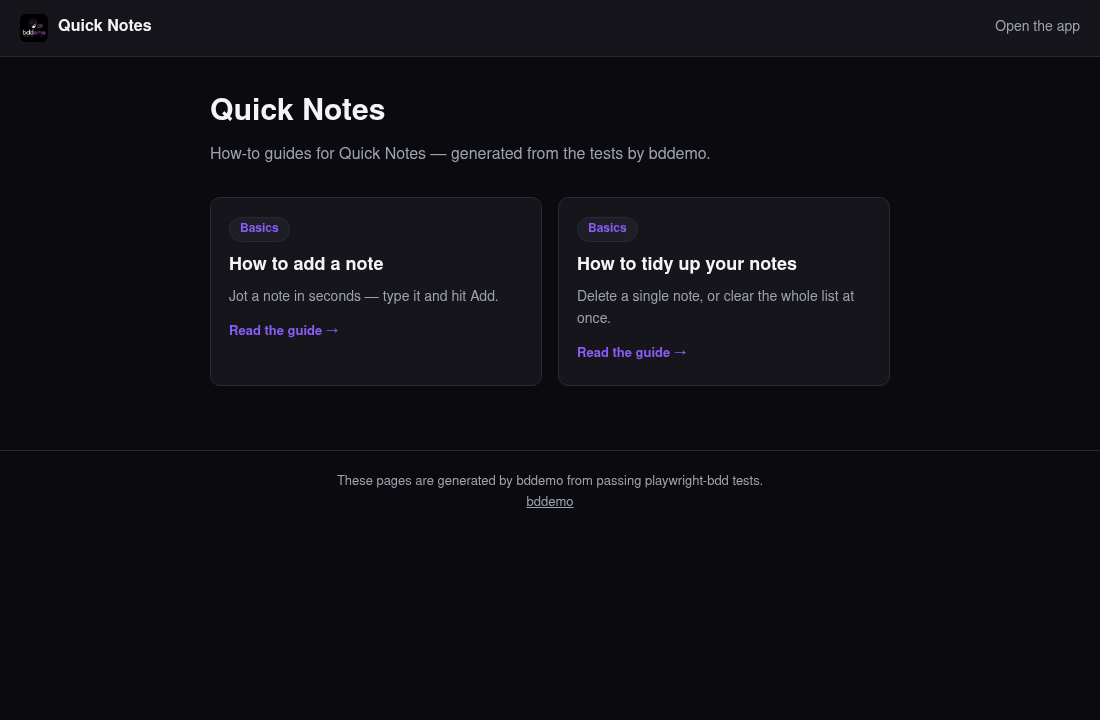
You get an index page — a card per guide:
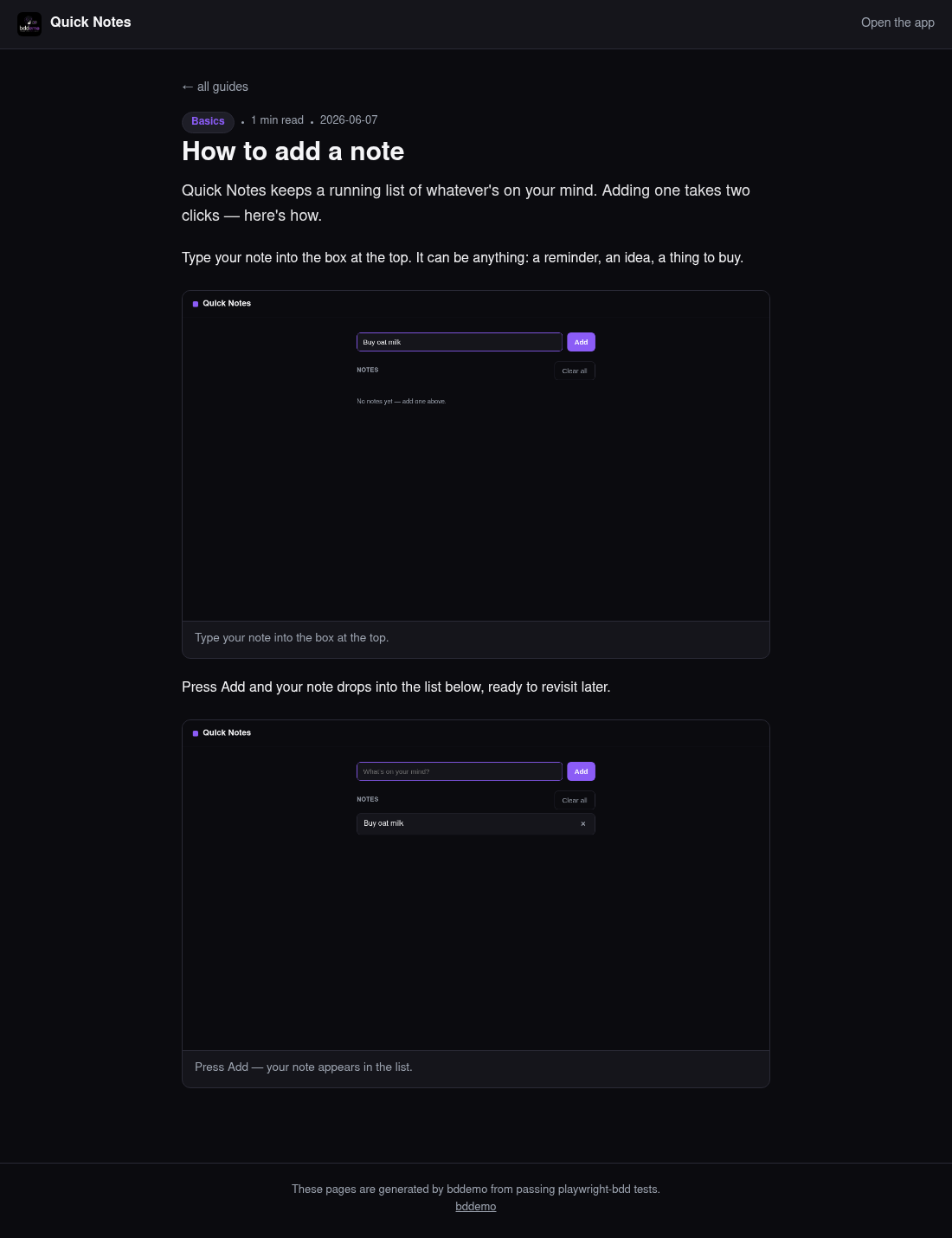
And each guide becomes its own page, with the prose you wrote interleaved with the real screenshots the test produced:
The styling is a plain token object rendered to CSS custom properties and inlined
into the page, so the output has zero external dependencies — drop it on GitHub
Pages and walk away. Override the accent color, or hand bddemo a render
function and it’ll write whatever HTML you return.
The part that makes it trustworthy
Here’s the mechanism that turns “nice screenshot tool” into “docs that can’t
lie.” Before the test suite runs, bddemo’s Playwright global setup stamps a
started-at sentinel. Every screenshot the run produces gets a fresh mtime.
Then bddemo build runs a freshness gate:
Every screenshot referenced by a manifest must exist and have been written during this run (mtime ≥ the run-started sentinel). A stale or missing shot fails the build.
So you literally cannot ship a guide with an out-of-date image. If you edit a feature and forget to re-run the capture, the build dies. If a screenshot file gets orphaned, the build dies. The only way to get a green build is to have just generated every screenshot, this run, against the app as it exists today.
That’s the inversion I wanted back in 2015 but didn’t have the tooling for: the documentation isn’t checked against the tests, it’s emitted by them. There’s no drift to detect because there’s no second copy to drift.
Why this might help you
A few situations where I think this earns its keep:
- Products with a real UI and real users. Support docs, onboarding guides, “getting started” pages — anything where a wrong screenshot generates a support ticket. Now a wrong screenshot generates a failed build instead, which is a much cheaper place to find out.
- Teams that already do end-to-end testing. You’re already driving the app with Playwright. bddemo is a small tax on top of work you’re doing anyway, and it turns a cost center (E2E tests nobody reads) into a deliverable (docs your users read).
- Anyone who’s been burned by stale docs. Which is everyone.
It’s deliberately small. It’s MIT-licensed, it’s a thin layer over playwright-bdd rather than a framework that wants to own your world, and the example app in the repo documents itself with bddemo so you can see the whole loop end to end.
Getting started
npm i -D bddemo playwright-bdd @playwright/test
npx playwright install chromium
npx bddemo init    # writes a starter bddemo.config.js
Point your playwright.config at bddemo’s global setup (it stamps the run so the
freshness gate works), register the steps, and write a feature:
// steps/article.steps.js
import { test } from 'playwright-bdd'
import { defineArticleSteps, defineWebSteps } from 'bddemo/steps'

defineArticleSteps(test)
defineWebSteps(test) // optional generic go-to / click / fill / wait
Then write a .feature file like the one above, run the pipeline, and point
your docs site at the output directory.
A decade ago I closed that BDD post with a worry: is a behavior test that has to manipulate the database to set up state really a “full” behavior test, or is it too clean-room to be real? bddemo is, in a way, my answer to my own younger self. Drive the real app. Take real screenshots. And then refuse to ship if any of it is stale. The test isn’t a clean-room approximation of the behavior — it’s the behavior, and the proof, and the manual, all at once.
Software testing. Feel it. Trust it.
Hope this was helpful to someone.